

If you have been searching for an AI content creation tool that does more than just “chat and hope,” then this WordRocket Review is for you.
In this article, I’ll break down what WordRocket really is, how its “bring your own API” approach works, what it can generate (long-form SEO articles, listicles, product reviews, informational posts), and—most importantly—what you should watch out for before you publish.
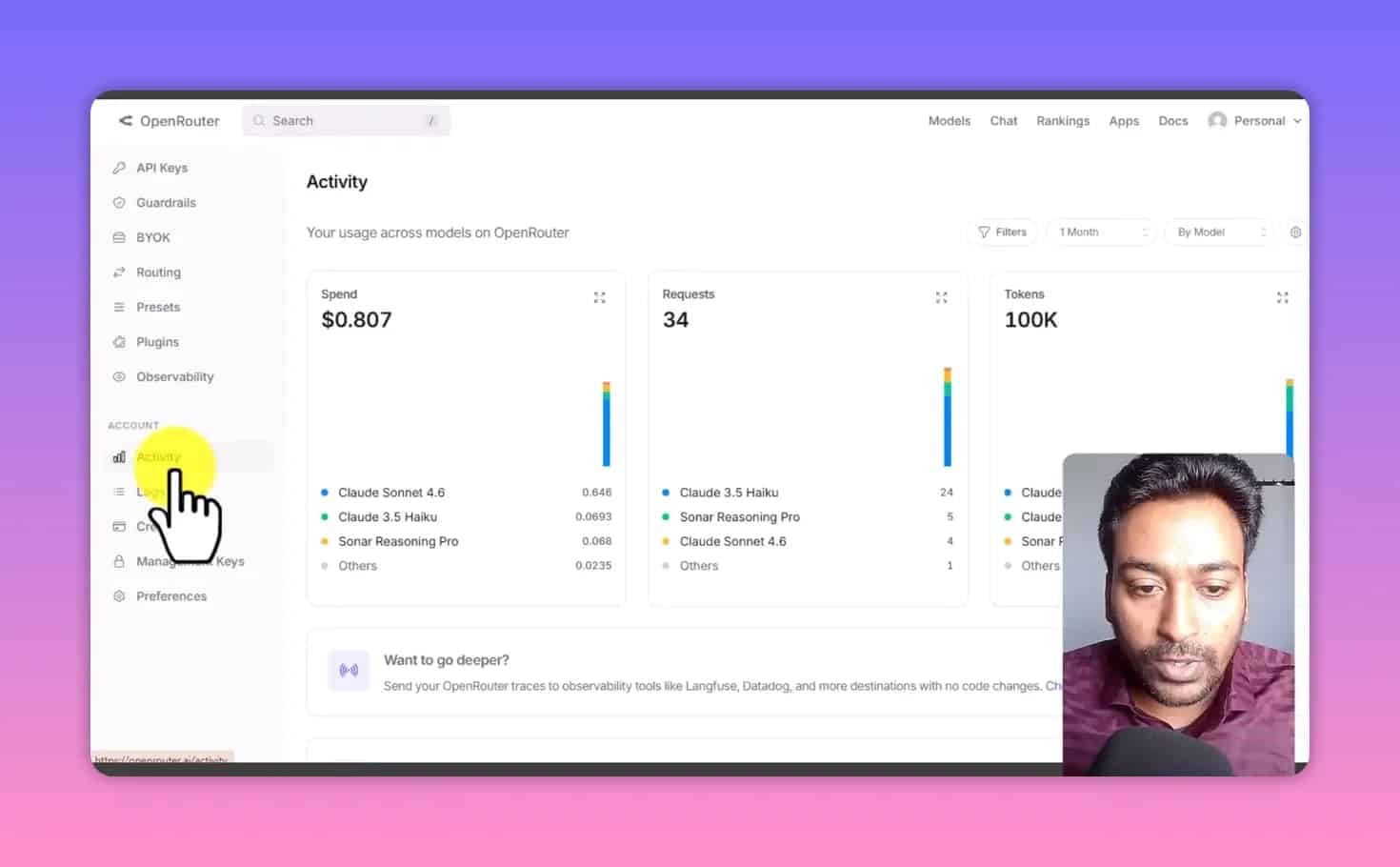
Instead of spending time guessing, we’ll use a real-world testing perspective: the tool was used to generate multiple content formats totaling roughly 17,500 words for about $0.80 in AI usage (based on one test case). Your cost will vary depending on which model(s) you choose and how much research you enable.
Let’s dive in.
Table of Contents
- Who this WordRocket Review is for
- WordRocket in one sentence
- How the “bring-your-own-API” model works (the key difference)
- Real cost breakdown: ~$0.80 for ~17,500 words
- WordRocket Settings walkthrough (the parts that affect output quality)
- Keyword Research inside WordRocket: more than “just keywords”
- Generating content: four article formats tested
- Test #1: Listicle article (SEO tools list format)
- Test #2: Single product review (example: DJI drone)
- Test #3: Product roundup (best products list for a year)
- Test #4: Informational content (defining a concept)
- Automation features: useful, but don’t fully trust autopublish
- Pros and cons of WordRocket (based on the test)
- Pricing & lifetime deal note
- Who should use WordRocket (and who shouldn’t)
- How to get the best results with WordRocket (a mini playbook)
- FAQ about WordRocket Review
- Final verdict: Should you consider WordRocket?
Who this WordRocket Review is for
WordRocket isn’t “best” for everyone. It’s a great fit if you want:
- Control over the AI models you use (OpenRouter and/or Gemini), instead of buying tool credits blind.
- A workflow platform: keyword research, brand voice, content generation, internal linking via sitemap, image instructions, and publishing support.
- Long-form output (the generator can target up to ~5,000 words per article in the setup tested).
- Drafts you will review and refine before publishing (important—more on this later).
If you want “press a button and publish everything perfectly,” you may find it frustrating. The output is usable, but like all AI tools, it still needs your oversight.
WordRocket in one sentence
WordRocket Review summary: WordRocket is an AI content creation platform that connects to your own OpenRouter (and Gemini) API keys, then orchestrates research + writing + SEO elements + publishing workflows.
How the “bring-your-own-API” model works (the key difference)
Most AI writing tools charge you directly for AI credits. WordRocket works differently. It behaves like an interface and workflow layer, while the real AI cost comes from your connected API usage.
What you connect
- OpenRouter API key for writing and research.
- Gemini API key for additional functionality / alternative usage (depending on your setup).
Why this matters
This setup can be cheaper and more transparent because you’re paying for what the AI calls actually consume on your API side—not tool credits marked up by the platform.
It also lets you choose models through OpenRouter. In the test setup, the tool recorded model usage under multiple labels (example models included OpenRouter-accessible options such as “sonar” variants and a “cloud” variant).
Real cost breakdown: ~$0.80 for ~17,500 words
Let’s talk numbers, because “cheap AI” can mean anything until you see an actual workload.
In the tested WordRocket workflow:
- ~1 article targeting 2,500 words
- 3–4 articles targeting ~5,000 words each
- One small research/automation setup step
Total output claimed in that run:
- ~17,500 words total generated across the test articles
- Approx. $0.80 in AI usage cost (for that session)
Important note: This is not a universal price guarantee. Your costs can change based on the models you choose, how much research you enable, and how long the article runs are.
Still, it’s a valuable baseline: WordRocket’s approach can make long-form content economically viable—especially if your alternative is expensive credit-based tools.
WordRocket Settings walkthrough (the parts that affect output quality)
Before content generation, WordRocket has setup areas that strongly influence quality. In this WordRocket Review, the biggest “make or break” sections are:
- Sitemap & internal linking
- Brand voice
- API key configuration
- Article generation options (tone, intent, word count, and elements)
- Image instructions
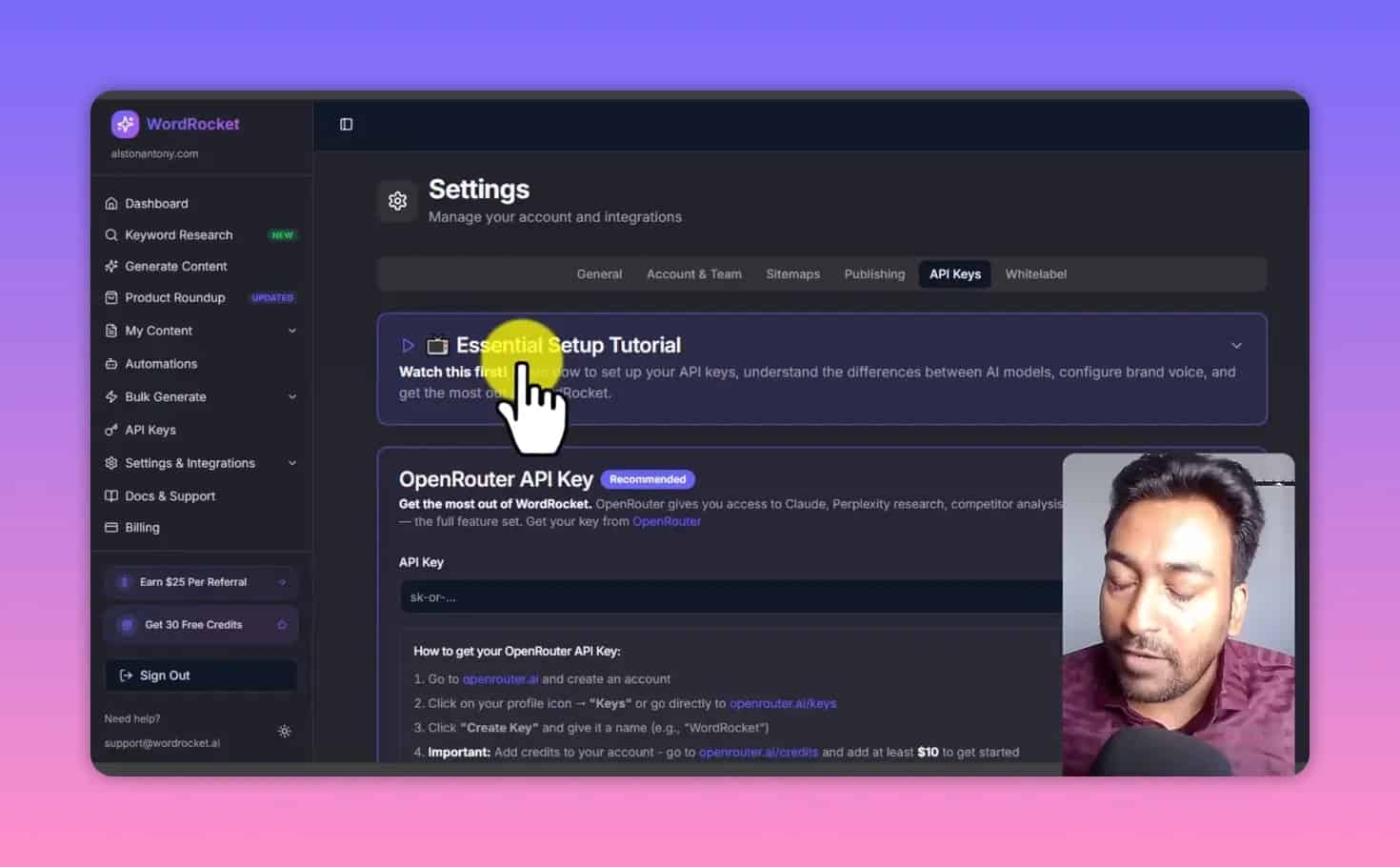
1) API keys + onboarding
When you activate the account, you typically go through an onboarding wizard. There are also tutorial resources inside the tool.
WordRocket’s interface is built around connecting your keys and configuring where it should pull model access from.
2) Sitemap: internal linking opportunities
One of the more interesting features is sitemap analysis. You paste your sitemap URL and website details. The system then estimates internal link opportunities.
In the test example, it reported:
- ~130 URL opportunities for one site scenario
- ~262 opportunities for another junction / comparison scenario
What that means in practice: when WordRocket generates an article, it can reference your existing site structure so your draft includes internal linking targets (selected from your sitemap).
This can save a lot of time compared to manual internal link hunting.
3) Client profiles (multiple clients / multiple brand contexts)
If you manage multiple WordPress sites or multiple clients, WordRocket allows client profile separation. Each profile can store:
- Site connection info
- Brand voice
- Tone / style preferences
- Images and related instructions
4) White label option
There is also a white labeling setting if you want to present the workflow as yours (useful for agencies or consultants).
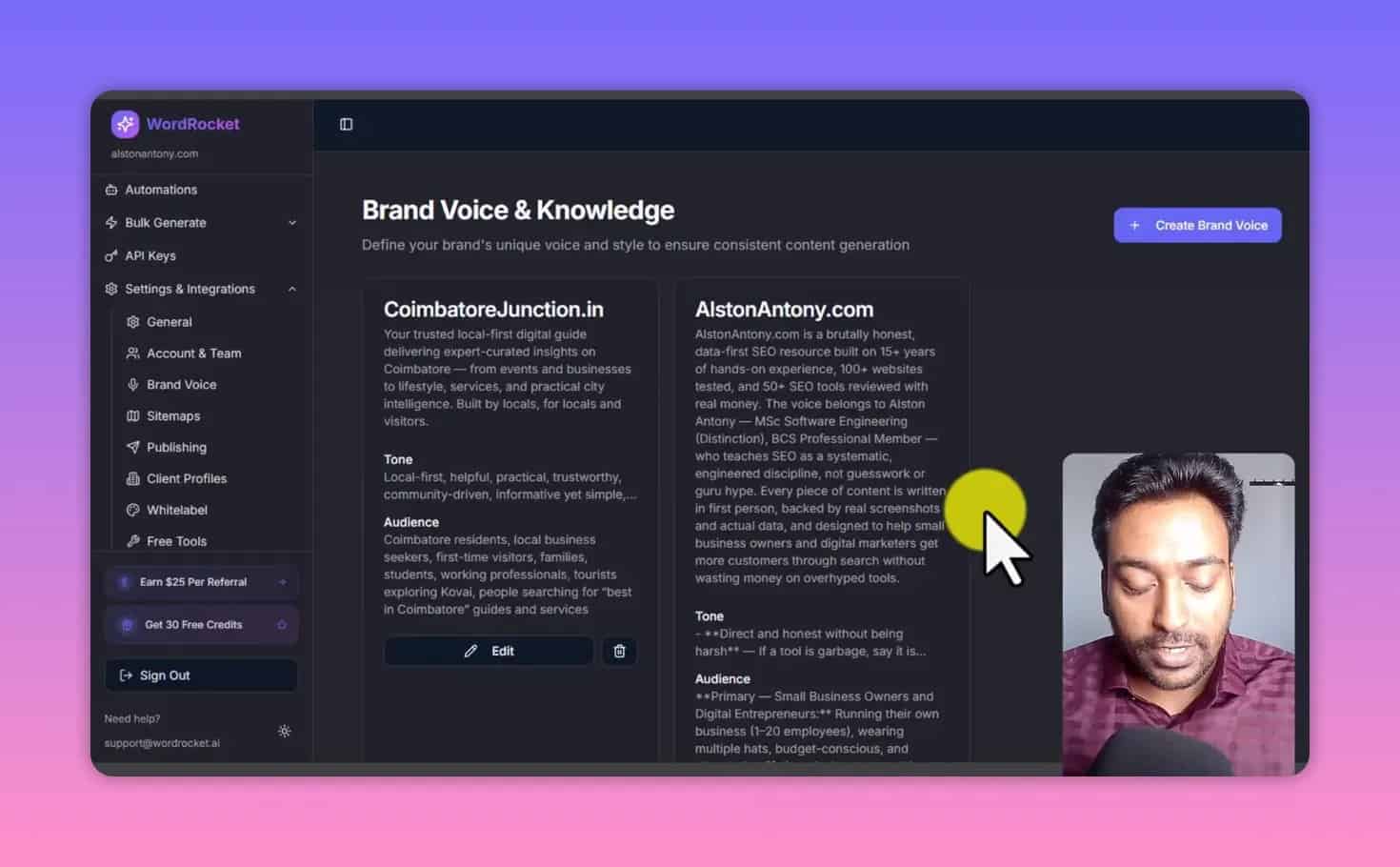
5) Brand voice: the “secret weapon” for consistency
If you only set up one thing, set up brand voice.
Brand voice is where you give the AI:
- Example writing context
- Tone guidelines
- Writing style constraints
- Preferred phrases and structure cues
In the test, the brand voice system was built using content context pulled from a YouTube transcript (conceptually similar to how you might base it on your own writing samples).
This matters because it can reduce “AI weirdness” like formatting patterns you don’t like (the test noted a dislike for excessive m-dashes).
Keyword Research inside WordRocket: more than “just keywords”
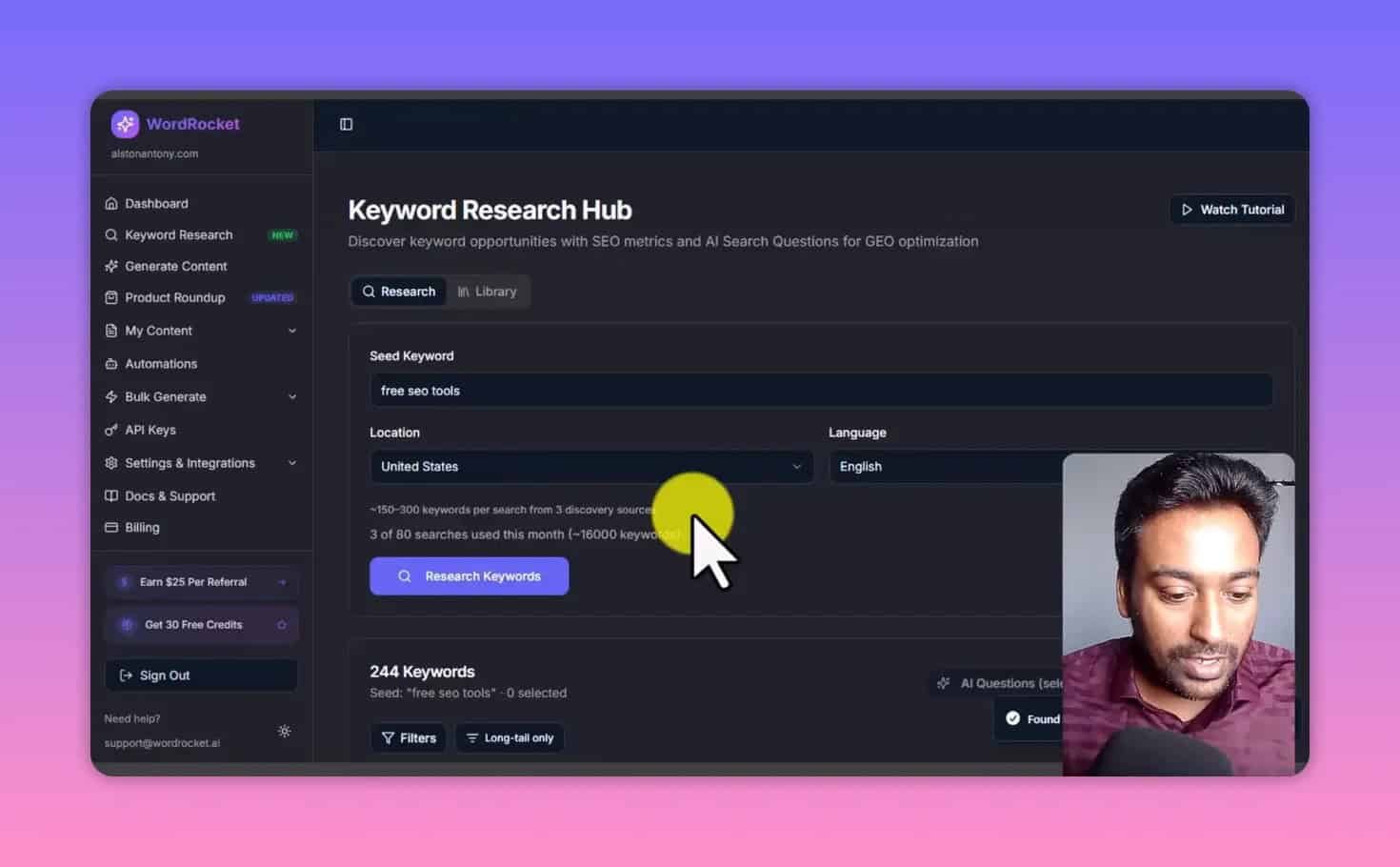
WordRocket includes keyword research functionality, but it’s not presented as a standalone SEO suite. Instead, it’s integrated into the content generation workflow.
In practice, the workflow can give you:
- Keyword lists
- Filters (word count, volume range, keyword difficulty, exclude internal)
- Long-tail keyword ideas
- AI-enriched “AI search queries” (useful for FAQ-style sections or topic framing)
Speed and behavior
The first run in the test took longer than expected. After retrying, results came back in a more reasonable time window (roughly several to twelve seconds in that observed scenario). This is important because keyword generation is typically a “live-ish” process, not instant like some keyword tools.
AI Enrich: extracting AI search intent
One genuinely useful feature is the AI Enrich step. Instead of only giving you classic search terms, it can show AI-like questions people might ask around that keyword.
In the observed example, the AI Enrich output included questions like:
- “What are the top YouTube SEO tools to increase video ranking?”
- “How can I optimize…”
Even if you don’t publish directly as-is, these questions can help you build better outlines, better headings, and more relevant FAQ sections.
Bulk AI questions
Another helpful feature: you can generate AI questions in bulk rather than doing everything one keyword at a time. This is especially useful for larger niche clusters.
Library: your saved keyword data
WordRocket also stores prior keyword research runs in a “library” view. In the test, it displayed saved keyword data and filters, though it seemed not to show all question outputs in that library listing (a minor limitation depending on your workflow).
Generating content: four article formats tested
The most important part of any WordRocket Review is output quality.
In the test, WordRocket generated four different content formats, each with different structural expectations.
How content generation is configured
In “Generate content,” the workflow typically included:
- Topic
- Live research toggle (real-time data context)
- Web search terms (optional but recommended for better relevance)
- Target SEO keyword
- AI model selection (default model in test was one of the OpenRouter-accessible “4.6 sonar” style models)
- Research model selection (the test notes reasoning using a Perplexity-style reasoning setup)
- Optional custom outline
- Content settings: article type, tone, language, intent, audience
- Word count target (up to ~5,000 words)
- Brand voice selection
There’s also a section for competitor analysis where you provide URLs:
- Negative competitor URLs (sources you want to avoid / use as “don’t copy this direction” context)
- Positive competitor URLs (sources to emulate structurally or from which to draw style/content context)
The test noted a key limitation: WordRocket doesn’t automatically fetch competitor URLs; you need to provide them yourself.
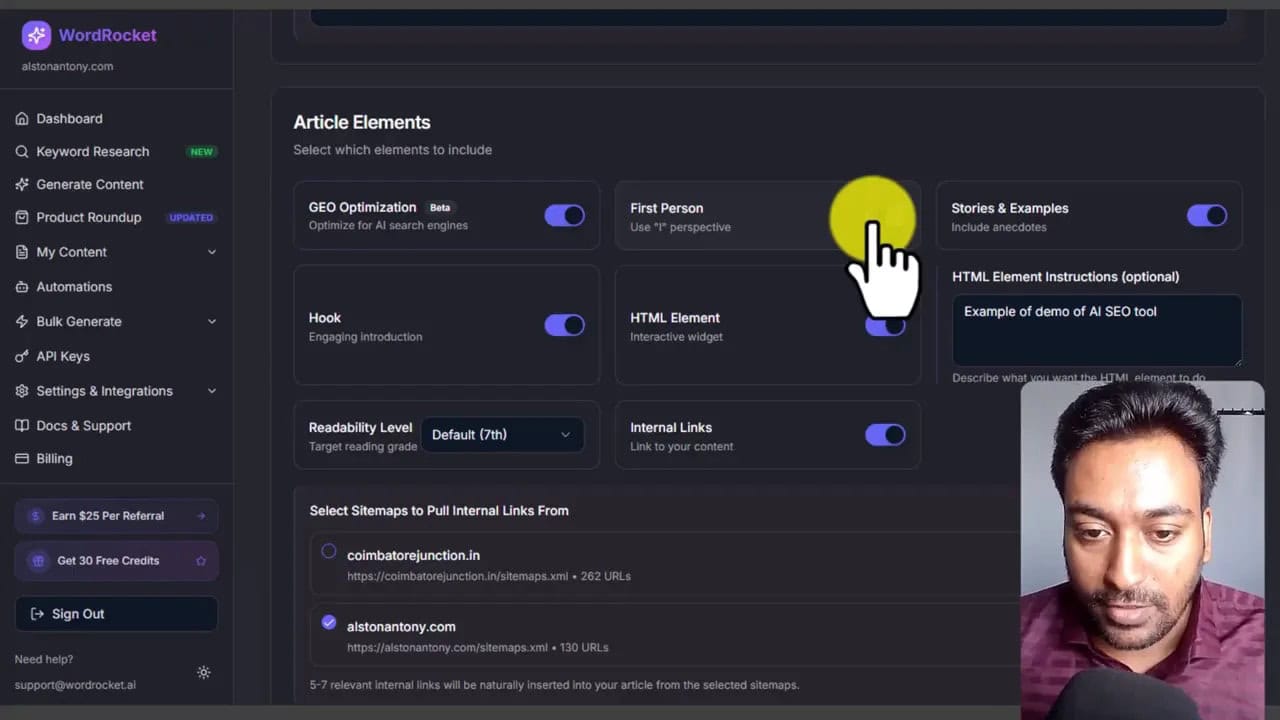
Article Elements: where it gets interesting
WordRocket can add structured elements inside an article. These can include:
- Geo optimization
- First-person perspective toggle (depending on your preferred voice)
- Hook generation
- HTML interactive elements (a standout feature)
The test showed an example prompt like creating an interactive “calculator” style element with structured inputs. In another test for SEO-related content, WordRocket generated an HTML element that displayed different types of SEO tool categories.
This is not common in many AI article tools. It matters if you want your content to feel more “productized” rather than generic blog text.
Internal links + image instructions
In addition to sitemap-based internal link selection, WordRocket includes:
- Readability level selection
- Cover image generation toggle
- Image count / “how many images” setting
- Image instructions including:
- Text placement preferences
- Minimal headline option
- No text overlay option
- Image dimensions
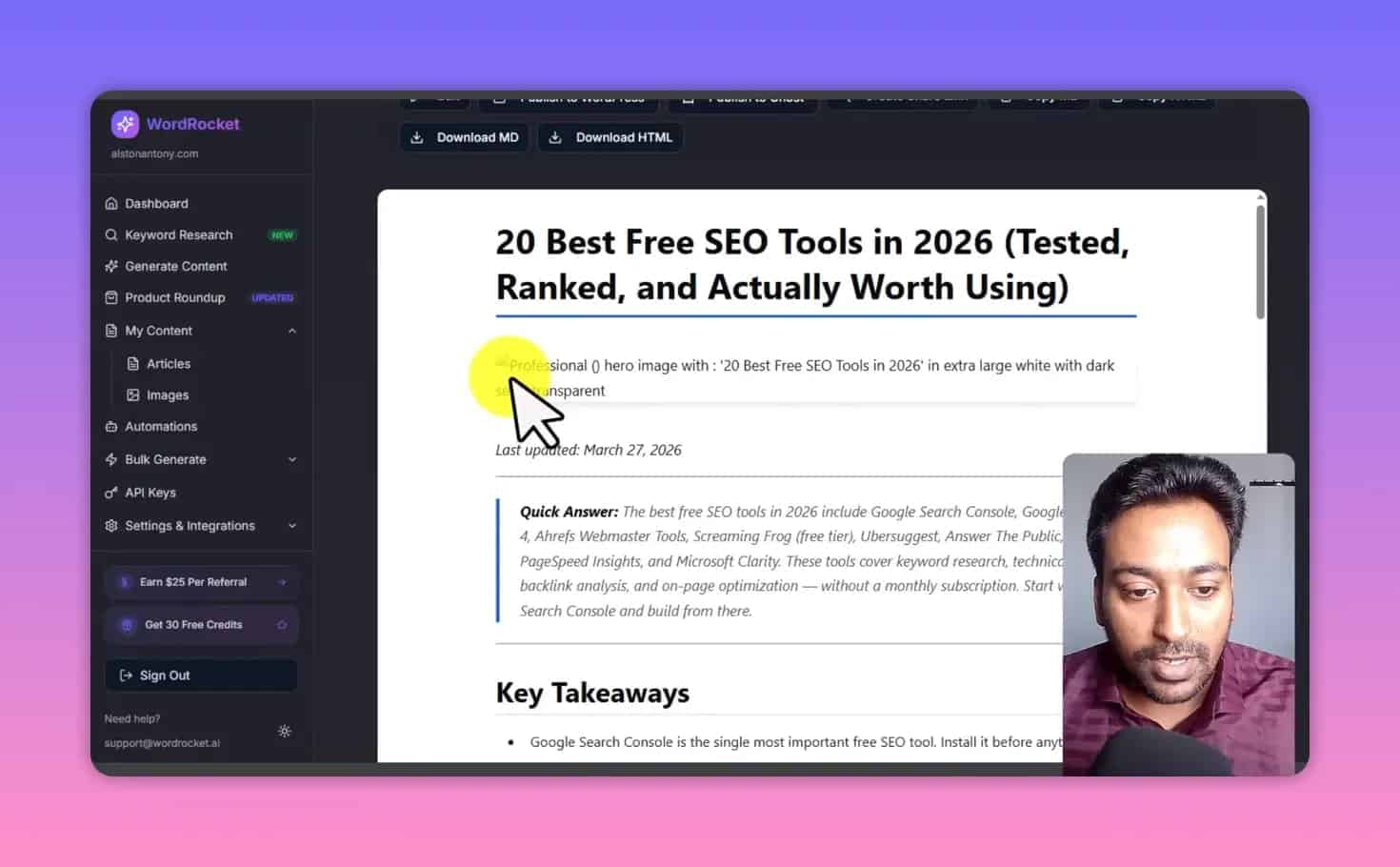
Draft-stage issue noticed: during testing, some images appeared broken or not loading properly in previews. That may be a visual preview bug and could resolve after publishing, but you should verify.
Test #1: Listicle article (SEO tools list format)
The first generated article used a listicle structure (a “top X” style format). In the output, WordRocket included:
- Quick AI-style answer / citations section
- Key takeaways
- Main listicle content with a table
- Trend / supporting subsections
- Internal linking references to other site pages (based on sitemap setup)
- Helpful guide section (beginner SEO stack style)
- FAQ and conclusion
- Meta title, meta description, and tags
Quality notes from the test:
- It seemed formatted well structurally, with a “publish-ready draft” feel.
- It used lots of m-dashes—something the reviewer personally didn’t like.
- There was a draft error where one section appeared to use the wrong year context (more on this later).
- Images looked broken in preview at least in that moment.
Test #2: Single product review (example: DJI drone)
The second content type was a single product review.
WordRocket’s output included:
- Introduction and key takeaways
- Deep dives into features
- Pros and cons
- “What could be better” section
- Who should buy / who should skip
- How to get best deals
- Frequently asked questions
- Final verdict / bottom line
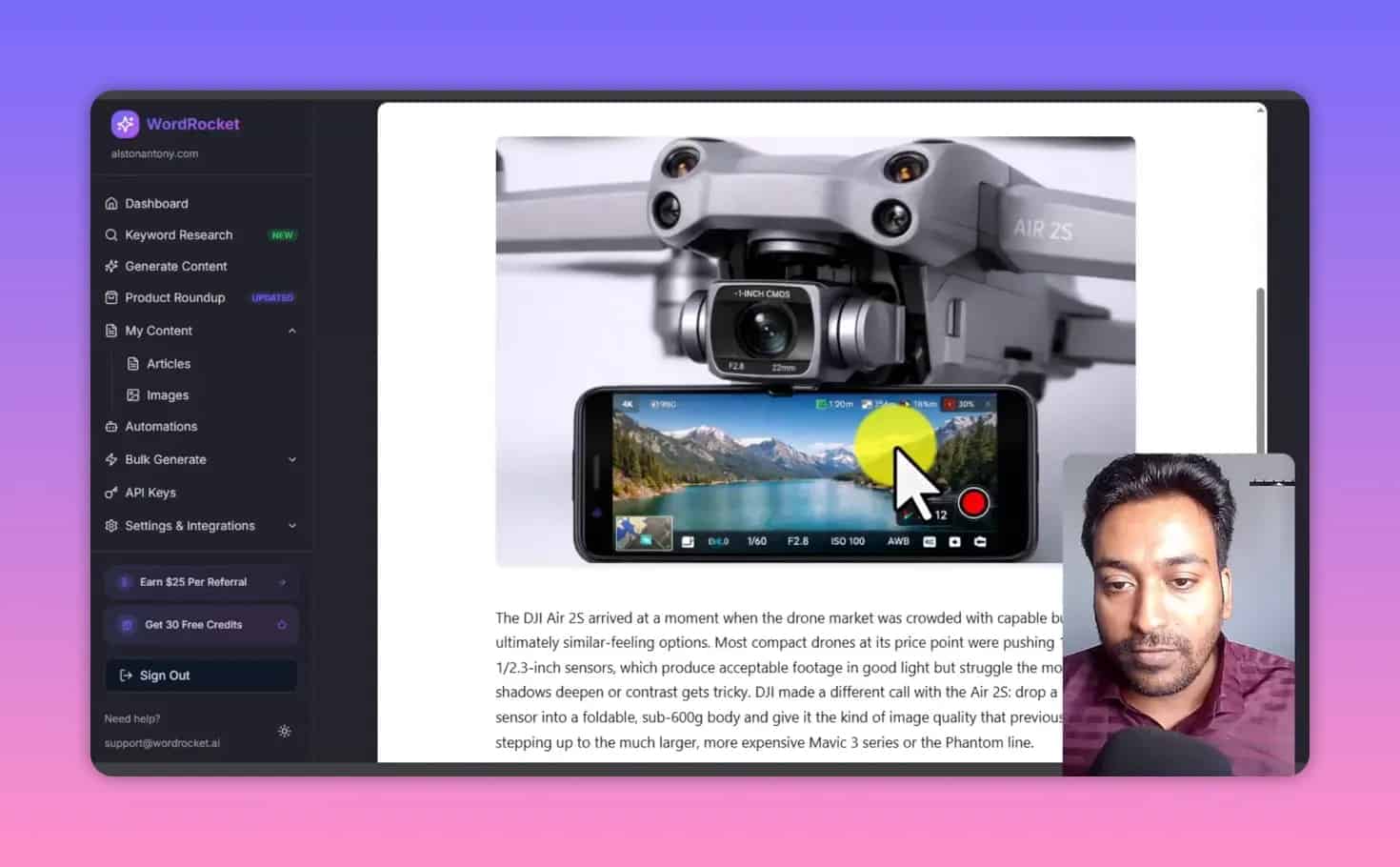
Image note: the test did not include images explicitly, and WordRocket generated images automatically. Still, it was emphasized that AI-generated product images and claims should be compared to the actual product specifications before publishing.
Why this format matters: if you do affiliate marketing or product content, review structure consistency can make the difference between thin content and content that earns clicks and trust.
Test #3: Product roundup (best products list for a year)
The third test was a product roundup—essentially a “best of” compilation style post.
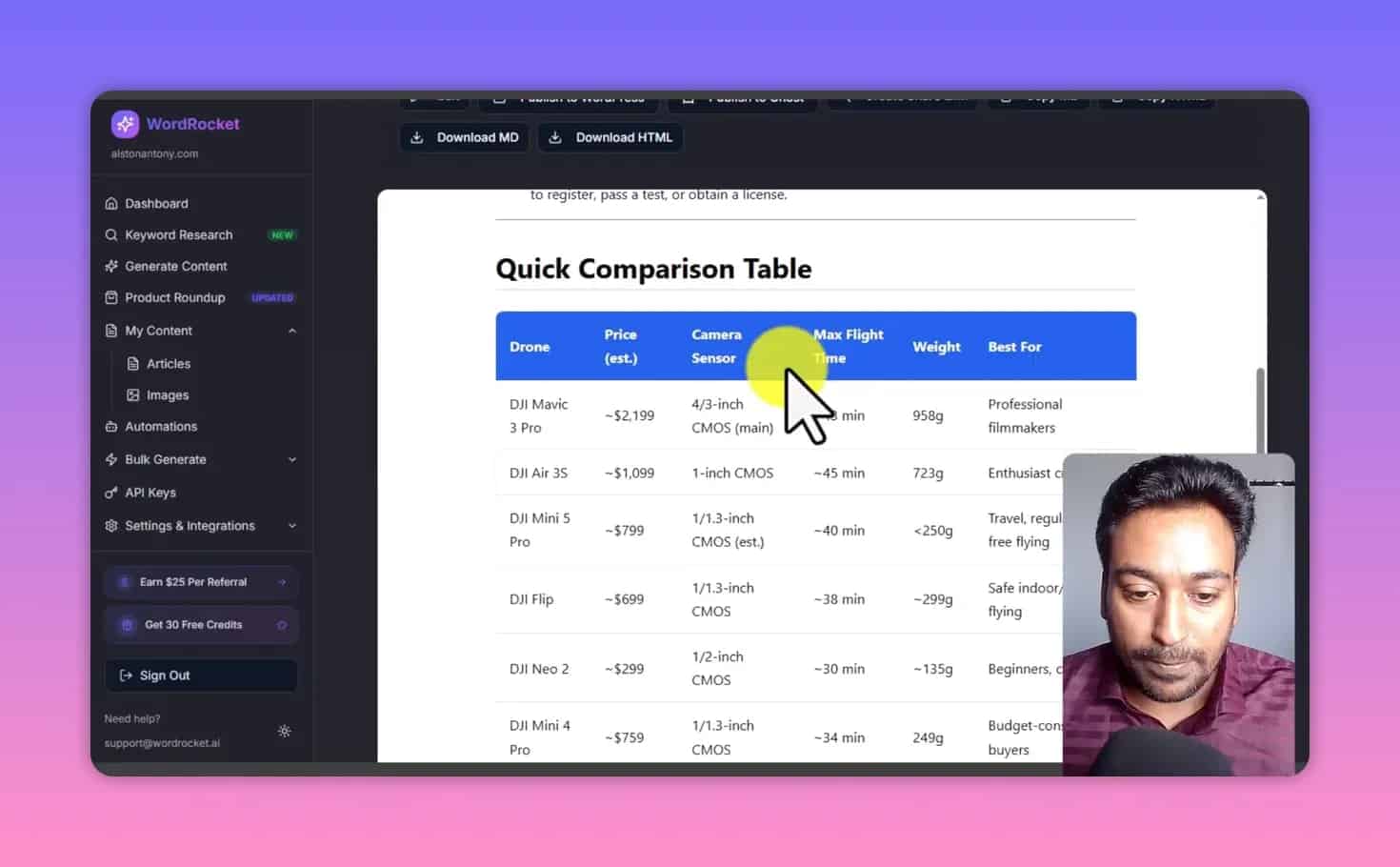
In the output, WordRocket included:
- A featured image
- Quick comparison table
- Necessary disclaimer
- Pros and cons for each model
- Images (though some were reported as broken visually)
Year correctness: the test noted that in this roundup post, the year appeared correct (the reviewer specifically contrasted this with another draft issue earlier).
Main quality reminder: like any AI product content, you must verify technical specs, pricing claims, and “best for” statements against current sources.
Test #4: Informational content (defining a concept)
The final test was an informational post based on a definition-style question: “What is an AI SEO tool?” (the exact phrasing from the test).
WordRocket produced:
- An informational structure (definition-first)
- A list of tools as part of the explanation
- References
- Meta title and description
- Tags
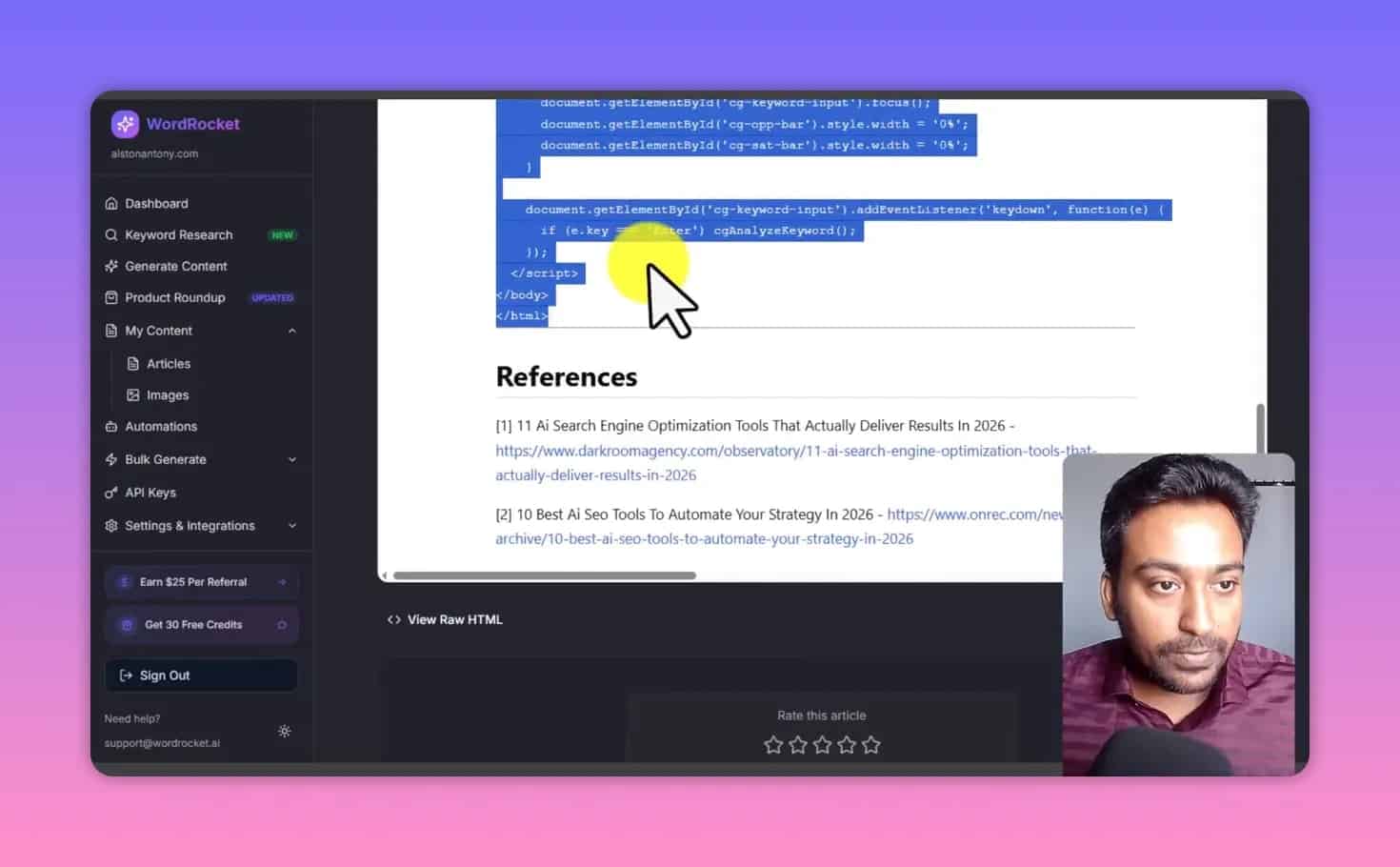
Preview experience: the test also included a “preview tool” workflow, where the generated content produced an interactive processing step and displayed the result with references and metadata. It’s a reminder that WordRocket can generate not only plain blog HTML but also interactive pieces depending on the article element setup.
Automation features: useful, but don’t fully trust autopublish
WordRocket includes automation workflows. The reviewer was not a fan of fully automating content production end-to-end without review.
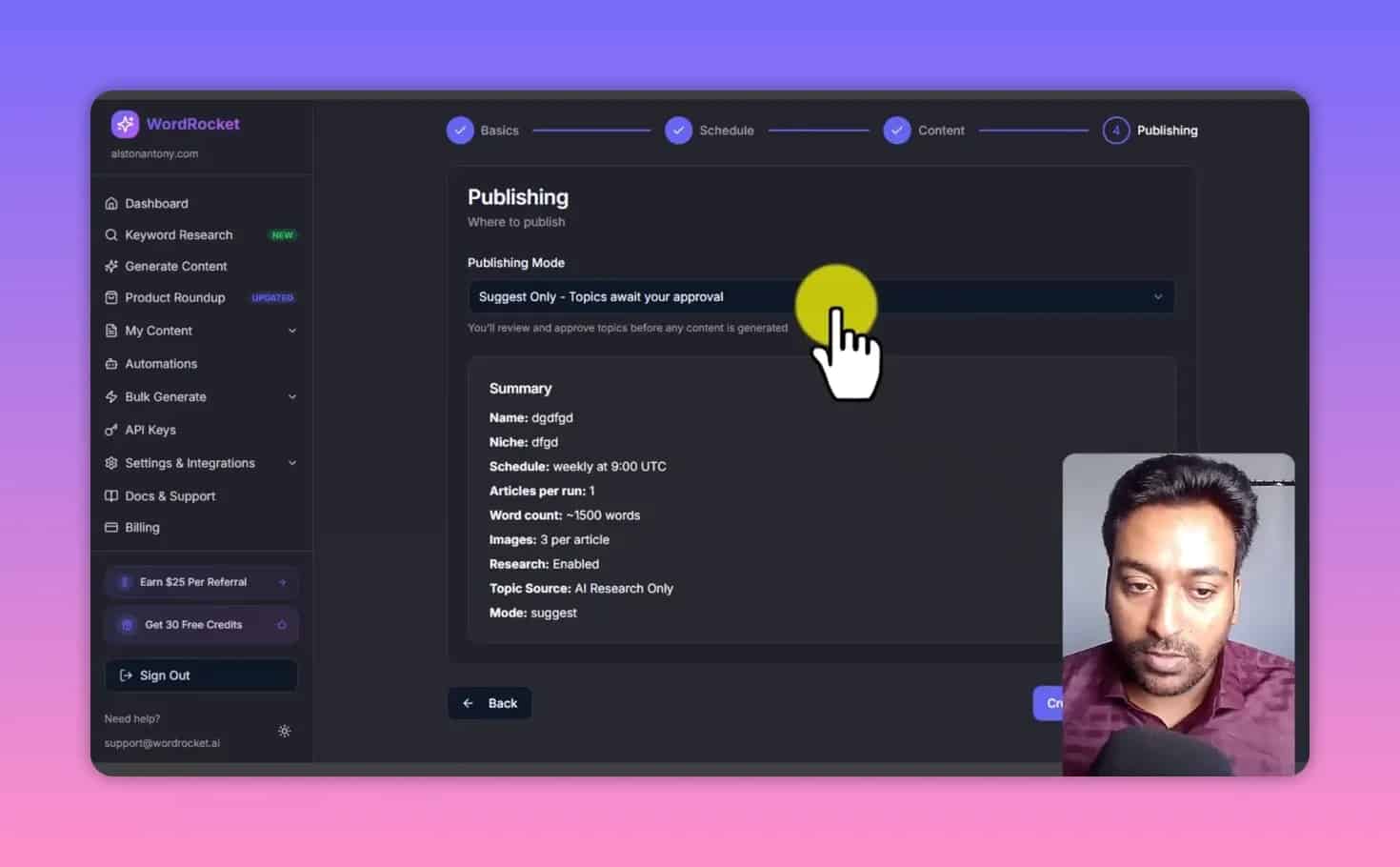
Instead, they recommended a “suggest only” workflow: generate ideas first, approve, then write drafts that you edit before publishing.
What automations can do
WordRocket’s automation creation includes:
- Automation name
- Niche selection
- Subtopics + exclude topics
- Topic source selection (provide your own sources, let AI source, or both)
- Frequency (days to run)
- Article per run (1, 2, 3, 5, depending on configuration)
- AI model selection
- Brand voice selection
- Word count and research settings
Suggest-only vs auto-publish
The test described two approaches:
- Suggest only / approve workflow:
- WordRocket finds content ideas
- You approve each idea
- Then it generates drafts and stores them
- Publishing happens only after your approval
- Auto publish mode:
- Once connected to WordPress/Ghost
- It can keep publishing automatically in the automation cycle
Given the draft-stage errors observed (year mistakes and broken image previews), “auto publish everything” is risky. At minimum, you need a quality check step before content goes live.
Pros and cons of WordRocket (based on the test)
Pros
- Bring-your-own-API model can keep costs low and transparent.
- Brand voice setup helps maintain writing consistency and formatting preferences.
- Keyword research is integrated into content generation and includes AI-enriched question ideas.
- Internal linking via sitemap can speed up on-page SEO planning.
- Article elements, including HTML interactive components, can differentiate your content.
- Multiple formats supported: listicles, single product reviews, product roundups, informational posts.
Cons / watch-outs
- Some formatting quirks can appear (example: excessive m-dashes).
- Broken image previews may show in drafts (verify after publishing).
- Accuracy checks are required:
- At least one draft used the wrong year context (AI hallucination risk).
- Product review claims must be verified against real specs and current market info.
- Competitor analysis is manual:
- You provide negative and positive URLs yourself.
- Automation needs supervision:
- Suggest-only workflow is safer than autopublish.
Pricing & lifetime deal note
The tested scenario referenced a lifetime deal environment. In such deals, you typically pay once for the software access, while AI usage is paid separately via your connected APIs.
The exact pricing may change depending on the current offer, but the key value proposition remains:
- You pay a one-time or subscription cost for the workflow layer
- You pay for AI usage through OpenRouter/Gemini keys
Practical recommendation: If you are considering the deal, start using it immediately after purchase. Your first few articles will show whether the generated style and structure match your niche and audience requirements.
Who should use WordRocket (and who shouldn’t)
WordRocket is a strong fit for
- SEO content marketers who want more structured outputs (headings, FAQs, tables, meta tags).
- Affiliate site operators creating product and comparison content.
- Agencies that manage internal linking and want brand voice control across multiple clients.
- Creators willing to edit drafts for correctness and tone.
WordRocket may not be ideal for
- Beginner publishers who want guaranteed accuracy without editing.
- Teams with no editorial process (because year/spec errors require verification).
- Users who expect an end-to-end “done-for-you autopublish” system with zero oversight.
How to get the best results with WordRocket (a mini playbook)
If you want your WordRocket Review to turn into real results, here are practical steps you can adopt.
1) Invest time in brand voice first
Your brand voice instructions should include formatting preferences (e.g., how to handle punctuation, whether to avoid certain dash usage, and preferred structure patterns).
2) Always enable live research when stakes are high
For product rounds or “best of year” content, real-time or research-backed inputs reduce the likelihood of outdated information. Still, you must verify.
3) Provide competitor URLs you truly want to emulate
Don’t only paste whatever appears at the top of Google. Choose competitor pages that are:
- Relevant
- Well structured
- Accurate
- Aligned with your audience intent
4) Treat images and tables as “draft elements”
Preview issues can happen. If images are broken in preview, publish once and re-check. Also ensure image captions or claims aren’t contradicting product facts.
5) Use automation safely
If you use automation, prefer:
- Suggest ideas
- Approve topics
- Edit drafts before publishing
This keeps the speed benefits while reducing the risk of publishing wrong details.
FAQ about WordRocket Review
Is WordRocket Review suitable for beginners?
It can work for beginners, but you should expect a “draft-first” workflow. You’ll still need to review content for accuracy (especially year-specific and product-specific details).
Does WordRocket charge AI credits directly?
No. The workflow layer uses your connected OpenRouter and Gemini API keys. Your AI usage is paid separately through your API access.
Can WordRocket generate long-form articles?
Yes. In the tested setup, the content generator targeted up to around 5,000 words per article depending on configuration.
What content formats does WordRocket support?
It supports multiple formats such as listicles, single product reviews, product roundups, and informational posts. The test also showed additional article elements like HTML interactive components.
Does WordRocket automatically find competitor websites?
In the tested workflow, competitor analysis required you to provide competitor URLs (both negative and positive). It did not automatically fetch the best competitor pages.
Is automation safe to use?
Automation exists, but the safer method is suggest-only with approval and editorial review. Fully autopublishing without checks can lead to mistakes like incorrect years or incomplete media previews.
What should I verify before publishing?
Verify year references, product claims/specs, pricing or “best deals” statements, and media rendering (images and interactive elements). Also proofread formatting choices like punctuation style.
Final verdict: Should you consider WordRocket?
After this hands-on style test breakdown, here’s the honest WordRocket Review conclusion:
WordRocket is worth serious consideration if you want a content workflow platform where you control the AI model usage via your own OpenRouter/Gemini API keys—and you’re willing to edit and verify drafts before publishing.
The standout advantages are the brand voice system, sitemap-based internal linking, integrated keyword + AI question enrichment, and especially the article elements that can generate interactive HTML components.
The main reasons to be careful are draft-stage issues: formatting preferences (like excessive m-dashes), occasional preview glitches (broken images), and occasional accuracy mistakes (like wrong year references). None of these are dealbreakers, but they are non-negotiable editorial tasks.
If you want low-cost long-form drafts at scale while staying in control of AI model costs, WordRocket is a compelling tool—especially with a lifetime deal style offer.
And one more thing: once you buy any AI tool, do not “save it for later.” Start using it immediately. Only real usage reveals whether the generated structure and tone match your niche and your audience.
That’s how you protect your time—and your content quality.
